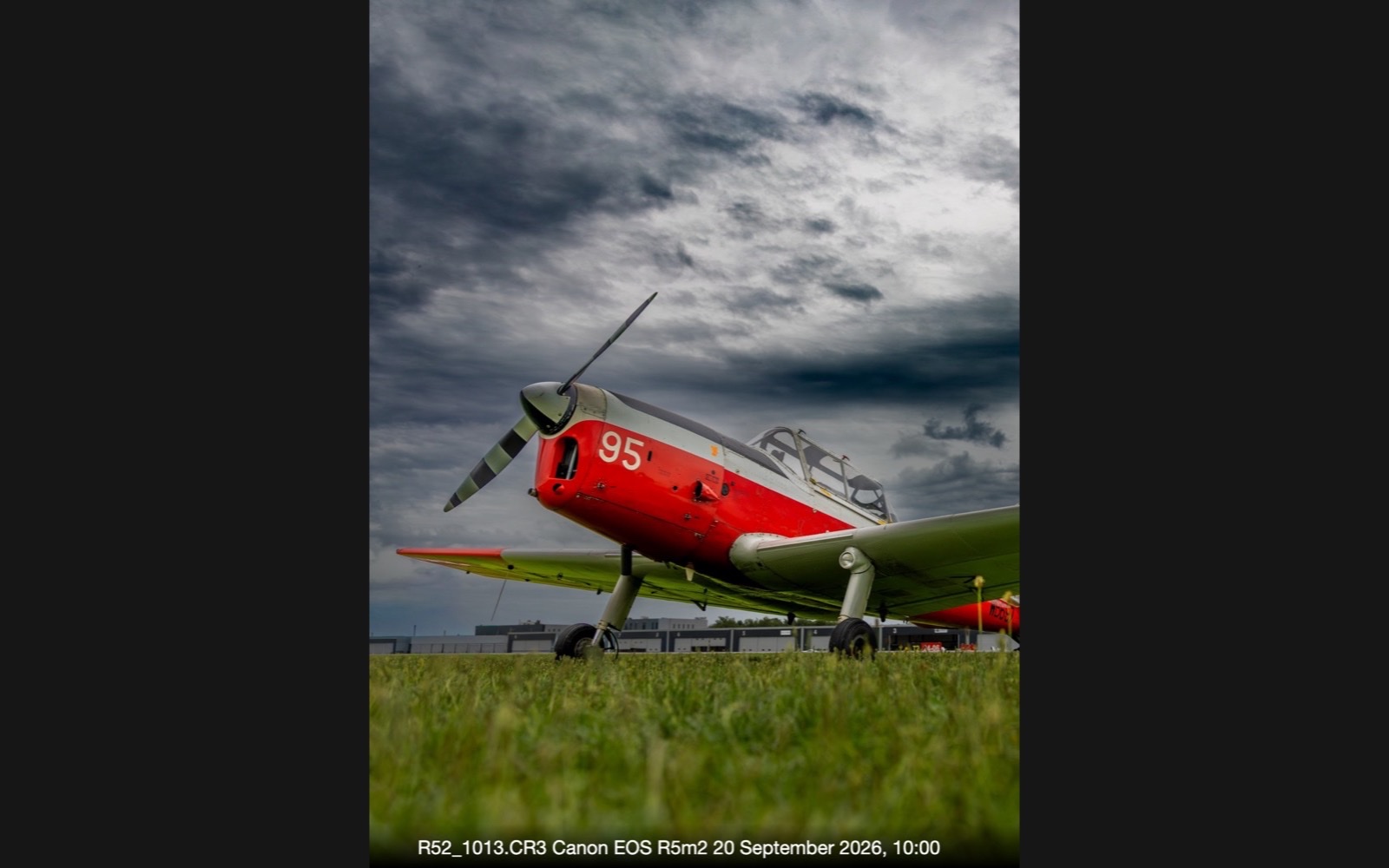
BorderLight adds a passepartout mat, a gallery border, a caption drawn
from your own metadata or a sized social canvas to every photograph as
Lightroom writes it out — or burns the metadata onto the photograph
itself, with no border at all. No round trip to Photoshop, no template
to maintain, no second application to open.
Recorded in Lightroom Classic, start to finish and not sped up. The preview you see being dragged about is drawn by the same renderer that writes the exported file — it is not an approximation.
36 seconds, no sound.
What it looks like
A photograph, framed
Everything below comes straight out of a Lightroom export. The border is
rendered at full resolution, not scaled up from a preview.
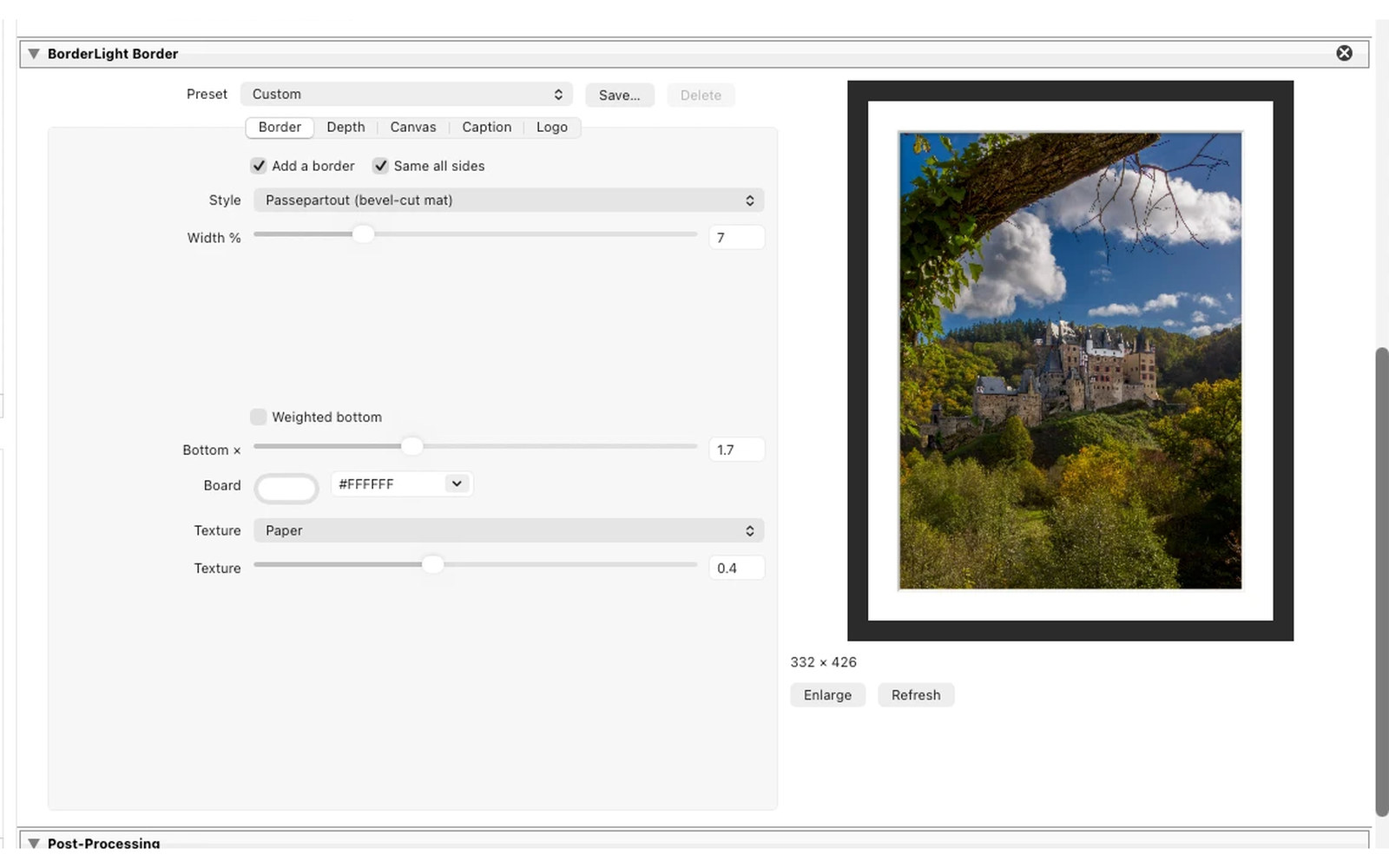
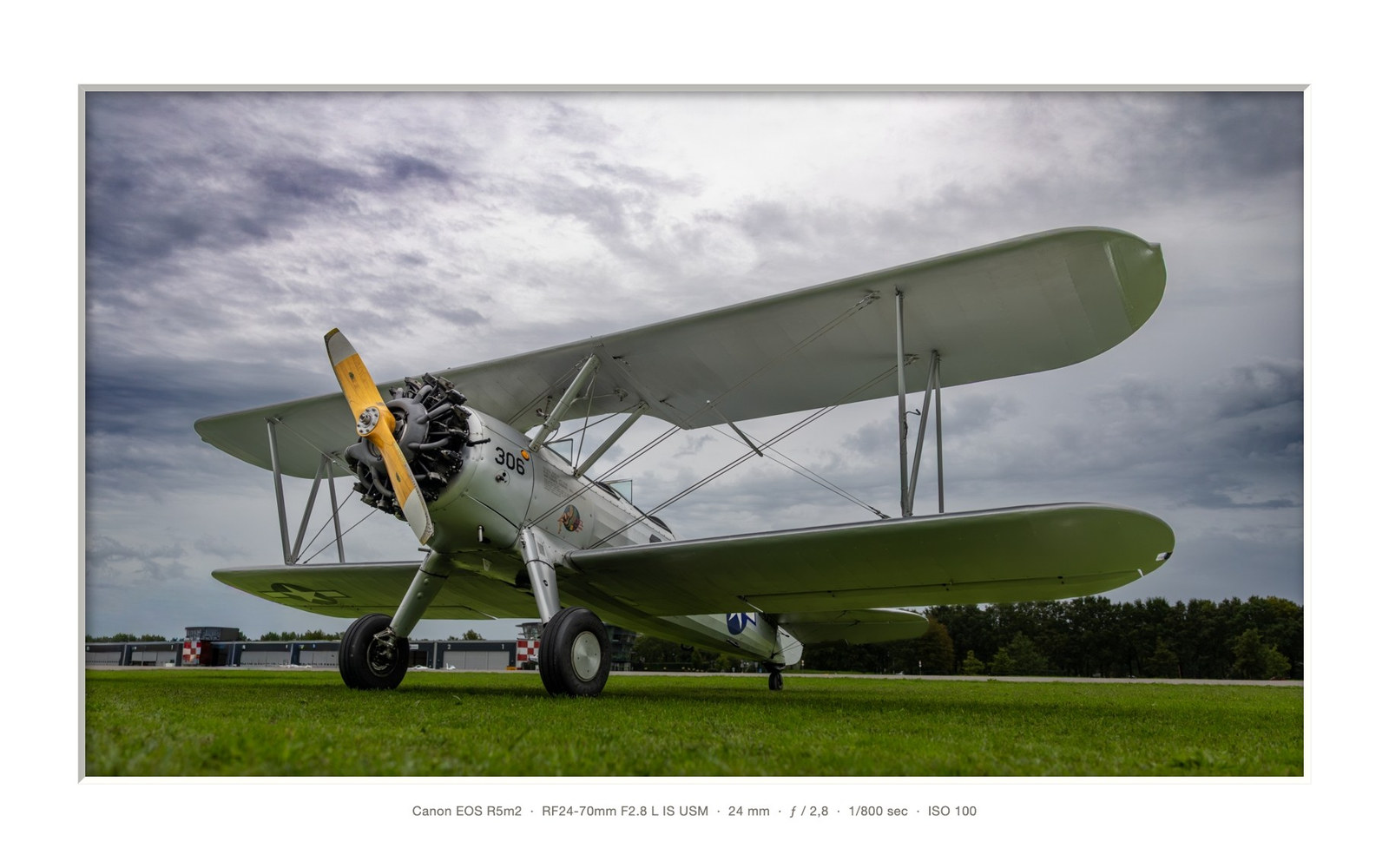
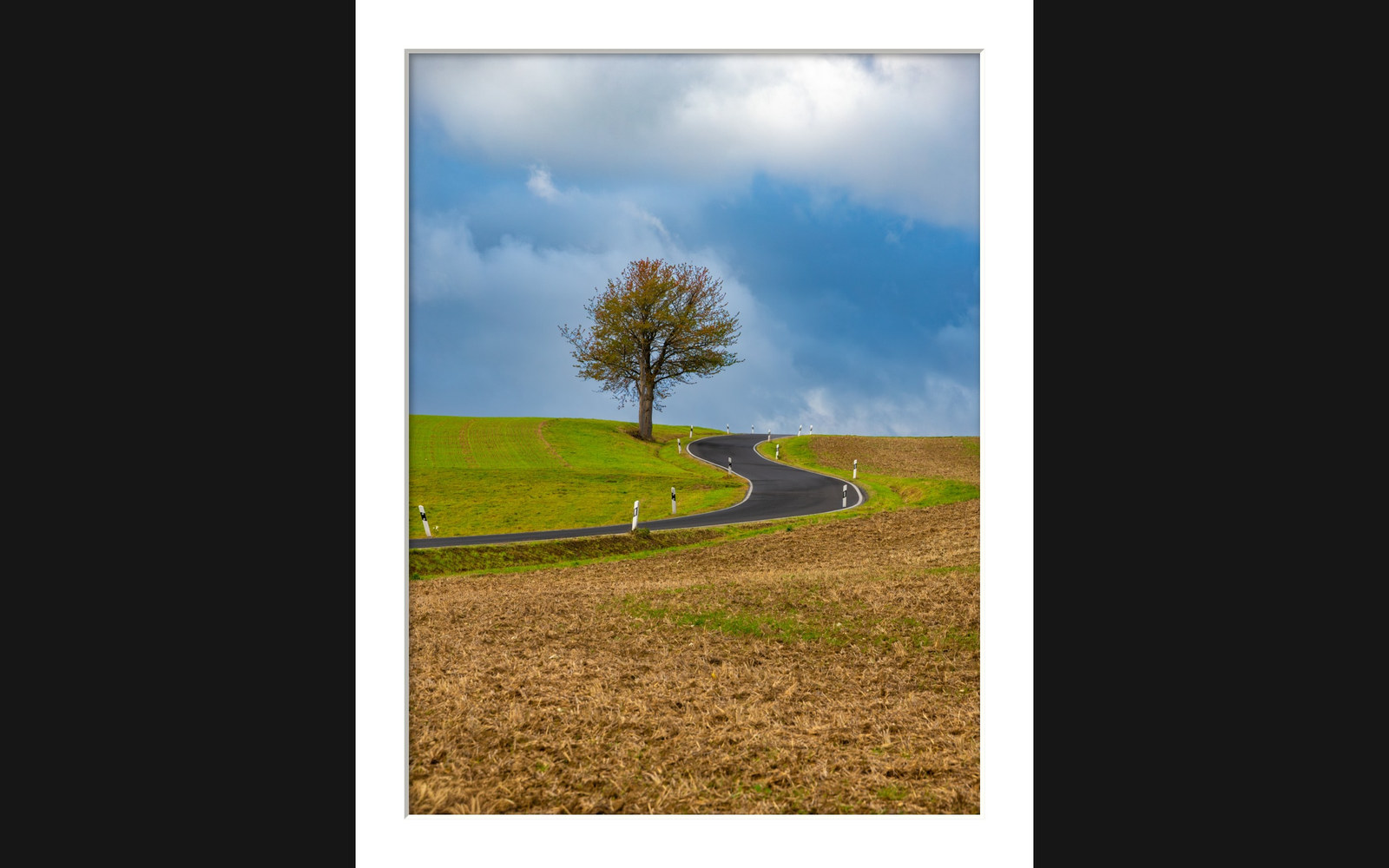
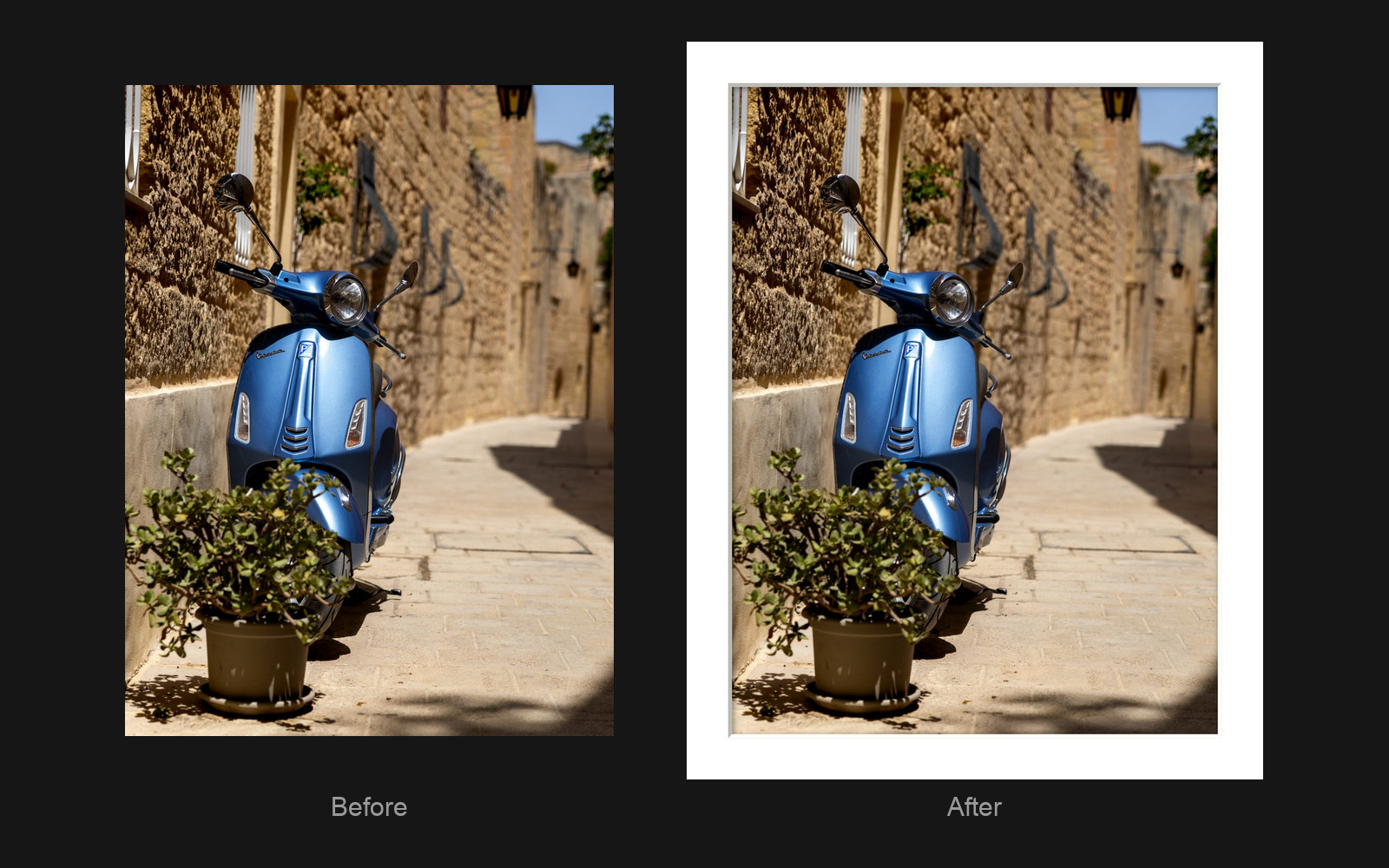
The panel sits in the export dialog, with a live preview of the border you are building.A caption set in the mat beneath the window. The same lines can be burned onto the picture instead.Portrait or landscape, the border is measured from the long edge, so both come out the same weight.The same export, before and after. Nothing is cropped — the mat is added around the picture.Metadata burned onto the photograph instead of set in a mat: file name, camera and date, with no border at all. The exported file keeps the photograph's own dimensions.
A museum mat with a weighted bottom margin, the way a framer cuts one,
and a bevelled window edge lit from a single direction so the opening
reads as a real cut rather than a drawn line.
Weighted or even margins
Bevel width and light direction
A ruled French line in any colour
Gallery borders
Even borders in any colour, a keyline in a second colour, or a border
whose colour is sampled from the photograph itself so it never fights
the image it surrounds.
Fixed, proportional or sampled colour
Inner keyline at any width
Square or rounded corners
Captions from metadata
Write the caption once with tokens and every photograph fills in its
own. Title, lens, shutter, aperture, ISO, date, location, copyright —
whatever your catalog knows.
Tokens for any field Lightroom exposes
Set in the mat, or burned onto the picture
Alignment, size and colour per preset
Metadata on the photograph
A file name on a client selection, a copyright line in the corner, the
exposure across the foot of the frame — burned into the picture itself
instead of set in a mat, and the exported file keeps its own size either
way.
Nine positions, two lines, the same tokens
Works with a border or with none at all
An outline that survives a white sky
Social canvases
Fit a landscape photograph into a square or a portrait frame without
cropping it, on a canvas you choose — a colour, or the photograph's own
blurred edges carried outwards.
Square, 4:5 and story sizes
Solid, sampled or blurred canvas
The picture is never cropped to fit
A preview, not an impression
The panel draws the border as it will be, using the same renderer that
writes the file, from a develop-processed thumbnail of the photograph
you selected.
Updates as you drag
Enlarge opens it in a window of its own
What you see is what comes out
Presets that travel
Save a look once and use it from any export preset. Your presets live
outside the plug-in folder, so an update never touches them.
Named presets with a live preview
Kept across updates
Works in batch exports and publish services
Nothing else to install
The renderer ships inside the plug-in, signed and notarised by Apple.
No Photoshop, no command-line tools, no runtime to install, no account
to create and nothing that phones home.
Signed with an Apple Developer ID and notarised, so macOS runs it without a prompt
Windows build downloads and installs without a warning
No telemetry of any kind
The details
Requirements
Host application
Adobe Lightroom Classic 6 or newer
Operating system
macOS (Apple Silicon and Intel) and Windows 10 or 11, 64-bit
Where it appears
Export dialog, under Post-Process Actions
File formats
Whatever Lightroom exports: JPEG, TIFF, PNG
Dependencies
None — the renderer is bundled
Licence
Perpetual, two computers per purchase
Version
1.1.0
Price
€12, once — not a subscription
One purchase covers both platforms. The download page offers a macOS build
and a Windows build; take whichever you need, or both if your two computers
are one of each.
Get it
BorderLight 1.1.0
€12
One purchase, two computers
Sold through Gumroad, who handle payment, invoicing and VAT. Any VAT
that applies where you live is added at the checkout.
No. BorderLight is an export filter: it works on the file Lightroom has just written, and your originals and your catalog are never touched. Keep your backups anyway — that advice is older than this plug-in.
Yes. BorderLight runs on Windows 10 and 11, 64-bit, with Lightroom Classic — tested on Lightroom Classic 16.0 and Windows 10 Pro 22H2. One purchase covers both platforms: the download page offers a macOS build and a Windows build, and your two computers can be one of each.
Two that you own or control — a desktop and a laptop, say. Nothing in the software enforces it and there is no activation, no licence key and no server to check in with. It is a statement of what the licence permits, and it relies on you.
Yes, and with no border at all if that is what you want — a file name on a client selection, a copyright line in the corner, the camera and exposure across the foot of the frame. Nine positions, two lines, and the same metadata tokens the captions use.
The exported file keeps the photograph's own dimensions, so the same settings work with a mat and without one. A dark outline follows the letters rather than sitting behind them in a box, which is what keeps white text readable over a white sky. Three presets cover those three jobs.
It adds a render pass per photograph, so a large batch takes measurably longer than one without a border. The work is a resize, a few rectangles and some text, so it is small next to Lightroom's own export, but it is not free.
They survive. Presets are stored outside the plug-in folder, in ~/Library/Application Support/BorderLight/Presets/, so replacing the plug-in with a newer one leaves them where they are.
Gumroad emails you a download link straight away, with your receipt. Inside is a folder called BorderLight.lrplugin and a short INSTALL.txt: copy the folder somewhere permanent, then add it in Lightroom's Plug-in Manager. There is no account to create, no key to enter and no activation step.
Yes — there is a 14-day money-back guarantee. Ask within 14 days of buying and you get your money back, no reason required. Refunds are issued by Gumroad, who are the seller of record for your purchase.
Write to support@noblepulse.eu first if something is not working — most of what looks like a reason for a refund turns out to be a setting, and that is quicker to fix than to buy twice. The guarantee is given on top of your statutory rights, not instead of them.
No. There is no telemetry, no analytics, no update check and no licence server. It makes no network connections at all — your photographs never leave your machine.