What it looks like
Three photographs, one picture
Both of these come straight out of Lightroom. The series is composed at full resolution — the preview in the dialog is rendered by the same engine that writes the file.
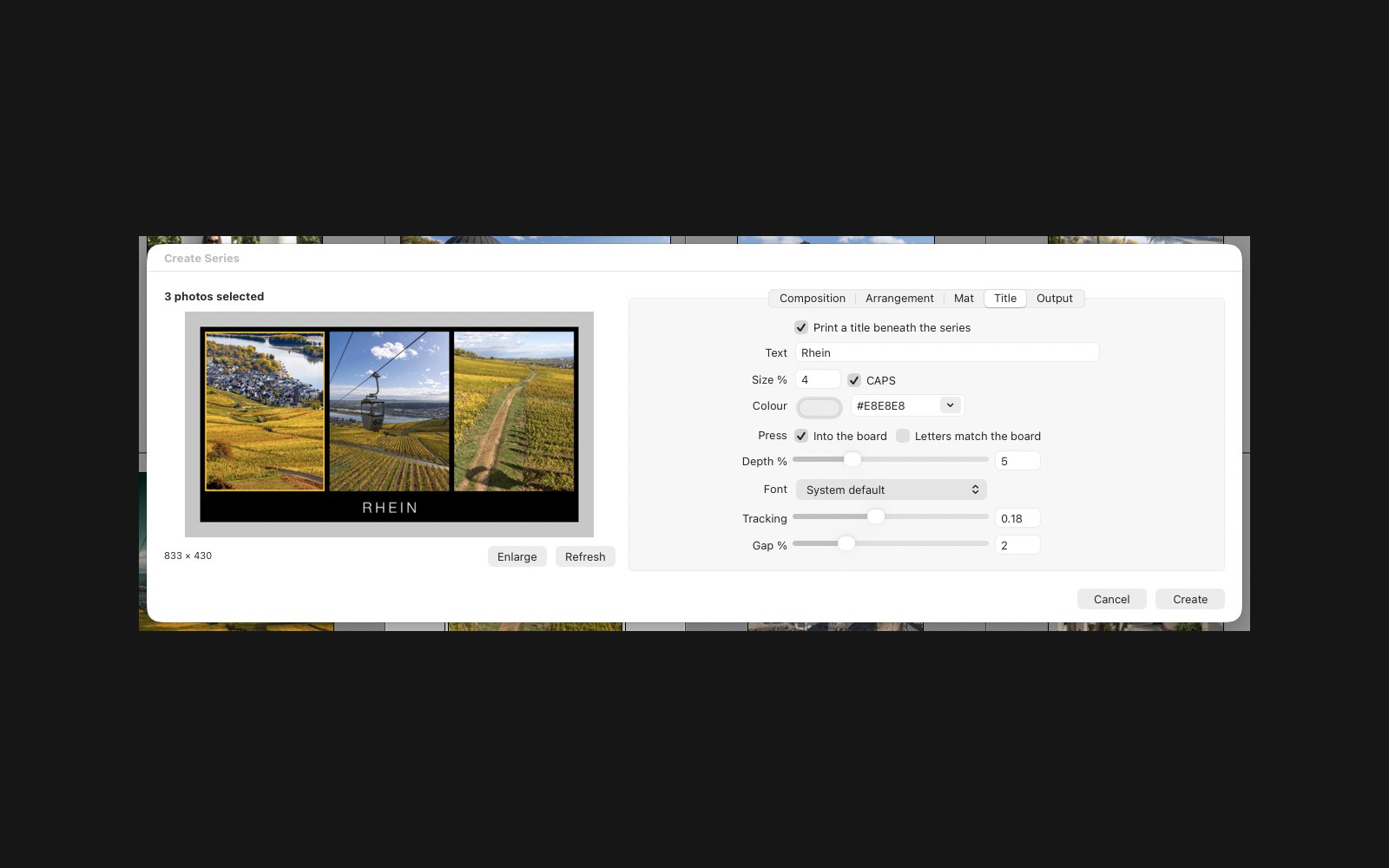
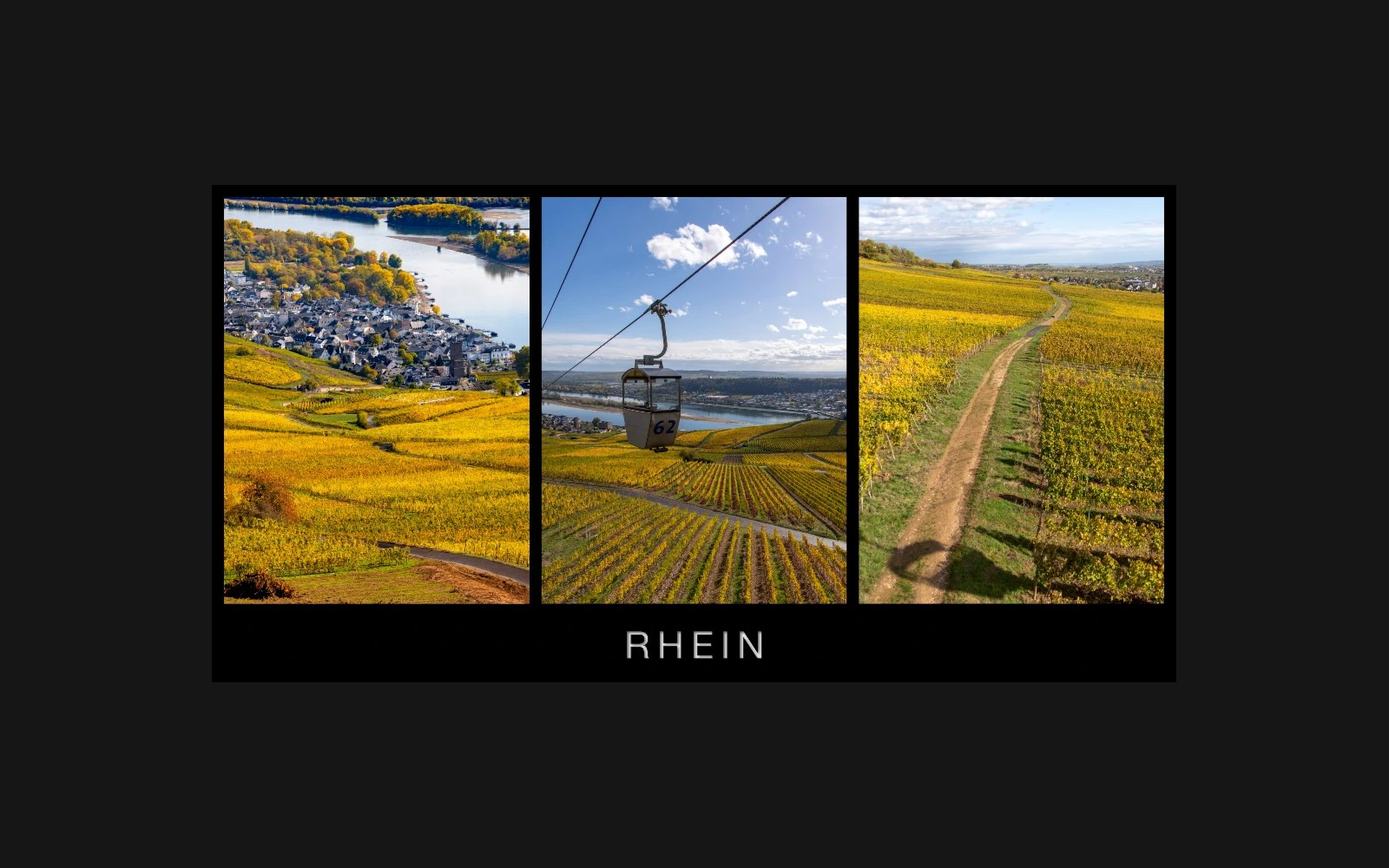
SeriesLight takes 2 to 6 photographs and composes them side by side as a single image — equal panels, even gutters, a mat cut with a window per picture, and a title pressed into the board. From the Library, at full resolution.
Recorded in Lightroom Classic and not sped up. Three upright photographs, a title pressed into the board, and the running order changed — every panel the same size, nothing enlarged.
Both of these come straight out of Lightroom. The series is composed at full resolution — the preview in the dialog is rendered by the same engine that writes the file.
Every panel is the same shape and size, and that size is the largest each photograph can fill without being enlarged. The weakest member of the set decides, because upscaling one picture to match the others always shows.
The same mat BorderLight cuts, with a bevelled window for every panel and the board's shadow falling on each photograph. A flat board or a passepartout, in paper or linen.
Set beneath the strip, in any font installed on your computer. It can be pressed into the mat — a recess shaded towards the light and a lit rim on the far side — in the board's own colour or your own.
Across, Down and Zoom for every panel, by slider or by nudge buttons in fixed steps. Buttons rather than dragging, because Lightroom's dialogs give a plug-in no mouse handling at all.
A live preview rendered by the same engine that writes the final file, so what you see is what comes out. Enlarge opens it at 1200 px in a window of its own.
One purchase covers both platforms. The download page offers a macOS build and a Windows build; take whichever you need, or both if your two computers are one of each.
Sold through Gumroad, who handle payment, invoicing and VAT. Any VAT that applies where you live is added at the checkout.
Buy SeriesLight — €9By buying you accept the licence agreement. Questions first? support@noblepulse.eu.
Two to six. Beyond six each panel becomes too narrow to be worth looking at, so the dialog stops there.
No. SeriesLight asks Lightroom to render the photographs you selected and composes a new file from them. Your originals and your catalogue are untouched.
Not yet — horizontal strips only. A vertical arrangement and a grid are the obvious next step, and they are not in version 1.0.
Two that you own or control — a desktop and a laptop, say. Nothing in the software enforces it and there is no activation, no licence key and no server to check in with. It is a statement of what the licence permits, and it relies on you.
No. The renderer that does the pixel work ships inside the plug-in. There is no Photoshop, no Java, no Homebrew and nothing to install separately.
No. It makes no network connections at all — no licence server, no activation, no telemetry, no update check. Your catalogue, your photographs and your settings stay on your machine.
Yes. Windows 10 and 11, 64-bit, with Lightroom Classic. One purchase covers both platforms: the download page offers a macOS build and a Windows build, and your two computers can be one of each.